I still remember the first time I tried to turn a hand-drawn bodice pattern into a clean digital file. I had rulers on one side, my laptop on the other, and I kept thinking, How do I make this look professional enough for a portfolio? If you have ever stared at your CAD files and wondered how they become a polished presentation, you are not alone.
Learning how to build a fashion portfolio using CAD designs is really about showing your work in a clear, organized, and believable way. A good fashion CAD portfolio does more than display pretty pages. It tells the story of your skills, your process, and your eye for detail.
For beginners, this can feel intimidating. You may have a few pattern pieces saved on your computer, a couple of sketches, and maybe one finished garment, but you are not sure how to turn all of that into a digital fashion portfolio that feels polished. That is a very common problem, especially when you are still learning fashion design software skills.
The good news is that CAD can make portfolio building much easier. CAD, which stands for computer-aided design, simply means using software to create and edit your patterns on a computer instead of only on paper. In fashion, CAD pattern drafting helps you make cleaner lines, easier corrections, and more professional-looking presentation pages.
OTHER RELEVANT BLOG POST

When you are building a fashion design portfolio CAD garment design project, your goal is not perfection. Your goal is clarity. You want someone looking at your work to understand what you designed, how you drafted it, how you adjusted it, and why it matters.
What a strong fashion CAD portfolio should show
A portfolio is not just a folder of files. It is a small body of work that shows your growth. If you are using CAD, your portfolio can include digital pattern files, technical flats, fabric choices, measurement notes, fit corrections, and final garment images.
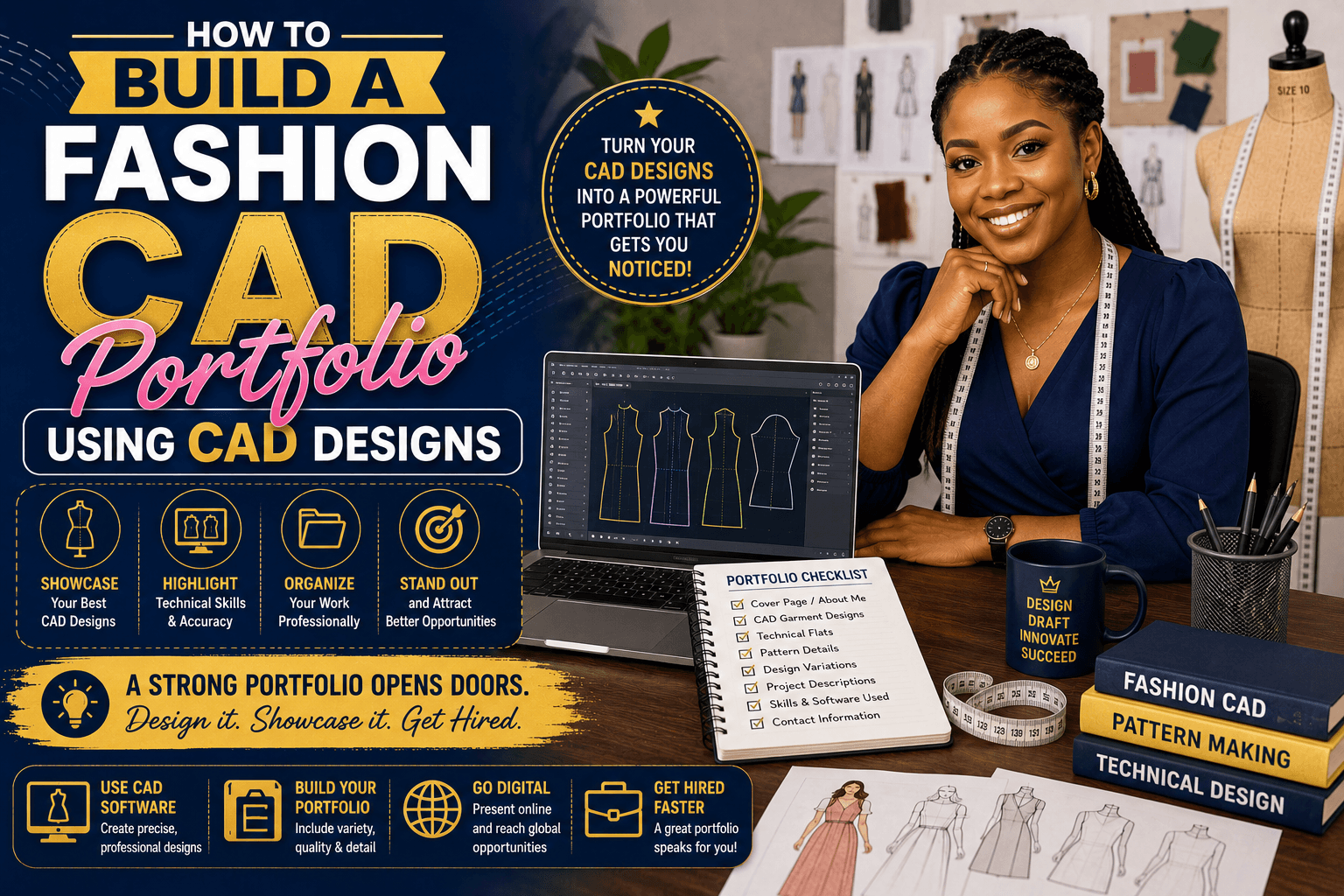
Here is what I recommend including:
- Clear sketches that show your original idea
- CAD pattern pieces with neat lines and labels
- Technical flats, which are simple front and back drawings of the garment
- Measurement charts or sizing notes
- Fit adjustments if you changed the pattern after testing
- Final photos of the finished garment, if you sewed it
If you are new to this, do not worry about creating a massive portfolio right away. A small, well-organized digital fashion portfolio is better than a messy one with too much information. I talk more about keeping your files organized, how to organize CAD pattern files, and choosing the right starting projects in CAD pattern drafting for beginners.
How to build a fashion portfolio using CAD designs step by step
1. Start with one simple project
Choose one garment you already understand well, such as a skirt, dress, or basic top. Simple projects are easier to document and easier to present. If you are still learning CAD fashion training, a basic project helps you focus on the workflow instead of getting overwhelmed.
2. Save your design process as you go
Do not wait until the end to gather your portfolio materials. Save screenshots, notes, and pattern versions while you work. Many CAD programs allow you to save different versions of the same pattern, which is helpful when you want to show how your design changed over time.
Keep track of:
- Initial sketch
- First digital draft
- Fit corrections
- Final pattern version
- Finished garment or mockup
3. Use clean, readable pattern drawings
One of the biggest advantages of CAD is neatness. Your lines should be clear, your text should be readable, and your pieces should be labeled correctly. If your program allows it, use consistent line weights and a simple layout so your portfolio pages do not look crowded.
This is where fashion design software skills really matter. Even if you are not an expert, learning how to zoom, move pieces, name layers, and export files properly can make your work look much more professional.
4. Add a short explanation for each project
For every portfolio page, write a short note about the garment. Keep it simple. You do not need fancy language. Just explain what you made, what tools you used, and what problem you solved.
Example:
“This sleeveless dress was drafted in CAD from my base block. I adjusted the waist shaping, tested the fit, and refined the neckline for a smoother finish.”
That kind of description helps people see your thinking, not just the finished image.
5. Show your problem-solving
Employers, clients, and teachers often care more about your process than the final picture alone. If you changed the armhole, corrected the dart, or adjusted the hem for balance, show that. Those small changes prove that you understand pattern drafting and not just software buttons.
Simple CAD portfolio presentation tips
A clean portfolio layout can make beginner work look much stronger. You do not need complicated graphics. You need a neat page design and a consistent style.
- Use the same font throughout the portfolio
- Keep page margins even
- Do not overload each page with too many images
- Use white space so the page can breathe
- Put the most important image at the top
If your software exports very large image files, resize them before building your pages. That makes the portfolio easier to view and easier to send by email or upload to a website. A simple PDF is often the easiest format for a fashion CAD portfolio.
Common mistakes beginners make with CAD portfolio work
I see the same few mistakes again and again, and they are all easy to fix.
Too many unfinished projects
It is better to show three finished, well-documented projects than ten incomplete ones.
Messy file names
Name your files clearly. Something like dress_pattern_final.pdf is much easier to understand than newfile7.
Skipping the explanation
A portfolio without notes can feel confusing. Even a short paragraph helps.
Using poor-quality images
Blurry screenshots and dark photos can make good work look unfinished. Use bright, clear images whenever possible.
Showing only the final garment
The pattern-making journey is important. Include the CAD files, not just the sewn result.
How CAD fashion training supports better portfolio building
Good CAD fashion training can help you move faster and make fewer mistakes. But even if you are learning on your own, the same principle applies: practice one skill at a time. Learn how to draw basic blocks, edit seam lines, add grainlines, and export clean files before trying advanced features.
Depending on the program you use, you may be able to:
- Draft patterns digitally
- Grade sizes
- Create marker layouts
- Annotate pattern pieces
- Save style variations
- Export technical drawings for presentation
Different software programs offer different tools, so always check your own program’s help guide or training materials. The most important thing is not the brand name of the software. It is how well you can use it to show accurate, organized work.
Turning one project into a professional-looking portfolio
If you are stuck, try this simple formula:
- Sketch the garment you want to make.
- Draft the pattern in CAD using your basic block or starting template.
- Test the fit on muslin, mockup fabric, or a practice sample.
- Make corrections and save the revised version.
- Export clean files and arrange them on a portfolio page.
- Add a short description explaining your process.
This process works beautifully for beginners because it keeps everything simple and repeatable. As you build more projects, your digital fashion portfolio will naturally become stronger.
FAQ: Fashion portfolio using CAD designs
What should I include in a fashion CAD portfolio?
Include sketches, CAD pattern pieces, technical flats, notes about fit changes, and photos of the finished garment or mockup. Show both the design and the process.
Can beginners build a digital fashion portfolio?
Yes. Start with one or two simple projects and focus on clean presentation. A small portfolio with clear work is better than a large portfolio with confusing files.
Do I need advanced software skills to make a portfolio?
No. You only need basic fashion design software skills to begin. Learn how to draft, edit, label, and export your patterns clearly. You can improve as you go.
How do I make my CAD portfolio look more professional?
Keep the layout clean, use consistent fonts, add short explanations, and include clear images. Good organization makes a big difference.
Should I include hand-drawn work with CAD designs?
Yes, if it supports your process. A sketch can help show how your idea moved from concept to digital pattern drafting.
What file format is best for a digital fashion portfolio?
A PDF is usually the easiest format because it is simple to view, share, and print. Make sure your images are clear and your pages are arranged neatly.
How can CAD help me improve pattern drafting accuracy?
CAD can make it easier to copy, edit, measure, and compare pattern pieces. That makes it simpler to catch errors and refine your shapes with more consistency.
Final thoughts
Building a fashion CAD portfolio does not have to feel overwhelming. Start small, keep your files organized, and show your process honestly. The more clearly you present your work, the easier it is for others to see your skill, your growth, and your attention to detail.
If you are learning CAD pattern drafting the easy way, remember this: every clean file, every corrected seam line, and every finished garment brings you one step closer to a stronger portfolio. Keep practicing, keep saving your progress, and keep turning your work into something you can be proud of.