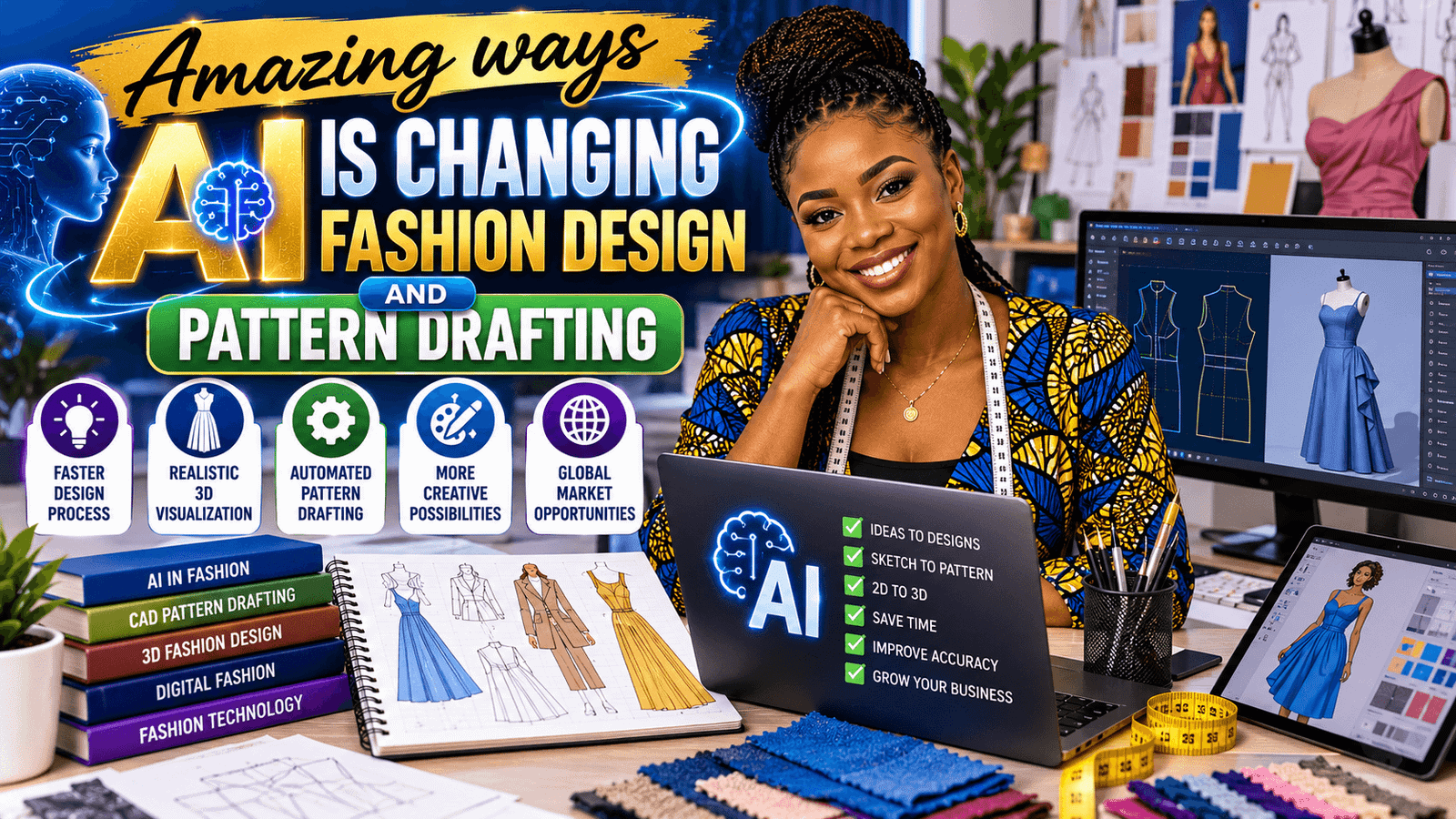
I still remember the first time I watched a design idea go from a rough sketch to a smart digital draft in minutes. I was sitting at my machine, coffee going cold, wondering how much faster I could work if I had a little help. That is why AI in fashion design and pattern drafting feels so exciting to me—it takes the busywork off your plate so you can focus on the creative part.
For home sewers, AI can suggest design variations, organize measurements, and help you test fit ideas before you cut fabric. For fashion designers, it can speed up mood boards, generate concept directions, and support more accurate production planning. It is not magic; it is a helper that makes your ideas easier to build.
If you are learning CAD dress pattern drafting the easy way, AI can be a gentle bridge between paper pattern knowledge and screen-based drafting. And if you want ready-to-use silhouettes while you practice, you can also browse my Samscape playlist to see how shapes are structured and finished.
OTHER RELEVANT BLOG POST



In simple terms, AI can help you start with a block, compare size charts, clean up lines, or spot problems before they become costly mistakes. You still make the decisions, but you get to draft with more confidence and less guesswork. That is a big deal when you are trying to learn faster without feeling overwhelmed.
And if you are curious about how this can become a real skill, not just a cool idea, you can keep building with my CAD courses and practice turning your drafts into finished, usable garments.
How AI in Fashion Design and Pattern Drafting Actually Works
When people hear AI, they sometimes picture a robot making fashion for us. That is not what is happening. In real life, AI works more like a smart assistant. It can analyze images, organize information, suggest alternatives, and help you move from idea to draft more quickly.
Think of it this way: you still bring the taste, the judgment, and the sewing knowledge. AI simply helps you process information faster. It can compare measurements, summarize trends, create prompts for design exploration, and even help you name and sort files so your workflow stays organized.
For example, you can use AI to:
- brainstorm style lines and garment details
- sort measurement data for different sizes
- compare design options before drafting
- check for missing pattern logic
- save time on repetitive drafting tasks
- generate concept boards for a collection theme
- help plan fabric choices for a specific silhouette
- spot inconsistencies in a size range before grading
The best part is that AI does not need to replace your taste or your sewing skill. It supports them. That means you can stay creative while reducing the friction that often makes drafting feel slow or stressful.
Why This Matters So Much for Home Sewers
If you sew at home, you already know that the process is full of little decisions. Which neckline should you use? How much ease is enough? Should the sleeve head be soft or sharp? AI can help you think through those decisions more quickly, especially when you are experimenting with a new style.
Instead of guessing from scratch, you can ask for design possibilities and then choose the one that fits your body, your fabric, and your skill level. That can save fabric, reduce frustration, and make you more willing to try new projects.
AI also helps if you are the kind of sewer who likes to plan before cutting. You can use it to create a more organized approach to your projects, whether you are making a simple top, a fitted dress, or a custom skirt block. That kind of planning is especially helpful when you are still building confidence with drafting.
A Simple Workflow You Can Try
If you want to use AI without making your process complicated, try this simple workflow:
- Start with your design idea or sketch.
- Ask AI for shape ideas, style variations, or measurement help.
- Move your chosen idea into your CAD software.
- Draft the block or pattern piece with your real measurements.
- Test the fit digitally or with a muslin, then refine the pattern.
- Save every good version so you can build a personal library.
This works beautifully for home sewers because it keeps the process practical. You are not trying to learn everything at once. You are simply using AI to make each step clearer.
You can also build a habit of documenting what you change. For example, if AI helped you narrow down a sleeve shape, write that down. If a fit issue came from an incorrect ease allowance, note it. The more you record, the easier it becomes to improve your patterns over time.
Tools Worth Exploring
You do not need a huge tech stack to get started. A few tools can make a big difference:
- Adobe Firefly for visual inspiration and concept generation
- CLO 3D for digital garment simulation and fit exploration
- Adobe Illustrator for clean vector fashion flats and technical drawings
You might also find it helpful to use a note-taking app or spreadsheet to keep your measurements, design ideas, and pattern version changes in one place. A simple system can save hours later, especially if you are working on multiple sizes or multiple versions of the same garment.
And if you want a gentle learning path, combine one tool with clear practice. For example, use AI for ideas, then move into CAD drafting, then sew a test sample. That rhythm helps your skills grow in a way that feels real and manageable.
How AI Supports Fashion Designers
For designers, AI is especially useful during the early concept stage. This is the phase where ideas are exciting, but also scattered. AI can help you create structure around that creativity.
You can use it to explore seasonal direction, identify recurring design elements, and compare the visual feel of different silhouettes. If you are building a collection, AI can help you keep your ideas aligned so each piece feels connected to the rest of the line.
It can also support communication. When you need to explain a concept to a client, student, team member, or manufacturer, AI can help you organize your thoughts into clearer language. That does not replace your vision; it helps others understand it.
Using AI for Pattern Drafting Without Losing Accuracy
Pattern drafting is a technical skill, and accuracy matters. AI can make the work easier, but it should never replace the measurement logic that keeps garments fitting properly.
Always use your actual body measurements, check your ease, and verify your drafting formulas. If AI suggests a shape or proportion that looks stylish but does not match the body, trust your pattern knowledge first. Style is important, but fit is what makes a garment wearable.
One smart way to use AI is to ask it questions that support your drafting decisions. For example:
- What are common fit issues for a fitted bodice?
- How can I adjust a skirt block for more flare?
- What measurements are most important for sleeve drafting?
- How do I keep pattern pieces balanced when modifying a neckline?
These questions help you think more deeply about construction while still keeping control of the final result.
Tips for Home Sewers and New CAD Learners
- Keep your measurements accurate before you draft anything.
- Use AI for ideas, not as a replacement for fit judgment.
- Label your pattern files clearly so you can find them later.
- Save versions as you adjust the draft.
- Learn one new CAD feature at a time.
- Build a small library of basic blocks, then modify them.
- Test one change at a time so you know what improved the fit.
- Keep notes on fabrics, seam allowances, and alterations.
One more tip: do not wait until you feel like an expert. Start with one bodice, one skirt, or one sleeve. Small wins build confidence fast.
If you want more step-by-step help, you can also explore my shop for patterns and drafting resources that make practice easier.
A Practical Example of AI in the Drafting Process
Let us say you want to draft a sleeveless dress with a soft A-line shape. You might begin by asking AI for three variations: one that skims the body, one that includes princess lines, and one that has a more relaxed fit. From there, you can choose the shape that best suits your fabric and style goal.
Next, you open your CAD software and apply your chosen measurements to the block. AI may have helped you decide on the direction, but your drafting knowledge handles the actual construction. After that, you can simulate the garment digitally, check the proportions, and adjust the hem, neckline, or armhole as needed.
This is where AI becomes especially helpful. It shortens the time between “I have an idea” and “I have something I can test.” That shorter path keeps momentum alive, and momentum is often what helps a learner keep going.
What AI Cannot Do
It is just as important to know the limits. AI cannot feel fabric, assess drape with your hands, or tell you how a real body moves in a garment. It cannot replace fitting knowledge, and it cannot make creative decisions that match your personal taste unless you guide it carefully.
It also cannot fully understand every cultural, stylistic, or business context the way a human designer can. That means you should treat AI as support, not authority. Use it to speed up the process, but keep your own voice in charge.
Frequently Asked Questions
Can AI really help with pattern drafting?
Yes. AI can help you organize measurements, compare design ideas, and move faster through repetitive tasks. It works best when you combine it with real pattern-making knowledge.
Is AI useful for home sewers?
Absolutely. Home sewers can use AI to brainstorm styles, plan garment details, and learn drafting steps in a simpler way. It can make the process feel less intimidating.
What software should I start with?
Start with one tool that matches your goal. If you want vector drafting, Adobe Illustrator can help. If you want garment simulation, CLO 3D is a strong option. If you want concept images, Adobe Firefly is useful.
Will AI replace fashion designers?
No. AI can support designers, but it cannot replace your taste, your fit knowledge, your creativity, or your understanding of real bodies and real fabric.
Is AI helpful if I am still learning CAD?
Yes. AI can make learning feel less overwhelming by helping you organize information and explore design choices. It is especially useful when you are practicing blocks, measurements, and simple modifications.
How to Build Skill While Using AI
One of the best ways to grow is to pair AI with practice. Do not use it just to move faster. Use it to learn better.
For example, choose a basic pattern block and ask AI for five ways to modify it. Then pick one variation and draft it yourself. After that, compare your result with your original block and observe what changed. That kind of active learning helps you understand pattern logic more deeply.
You can also set a weekly practice goal. One week, focus on neckline variations. Another week, focus on sleeves. Another week, work on size adjustments. Small, repeated practice builds real expertise.
Why This Is a Big Deal for the Future of Fashion
Fashion is changing quickly, and the people who adapt early often gain the most confidence and flexibility. AI does not remove the need for craftsmanship. In fact, it can make craftsmanship more accessible by removing some of the repetitive barriers that slow people down.
That means more creators can experiment, learn, and produce with greater ease. Home sewers can become stronger pattern makers. Beginners can move into CAD with less fear. Designers can spend more energy on innovation and less on repetitive admin work.
When used well, AI helps fashion become more efficient, but also more personal. It gives you more room to design intentionally and create with purpose.
Final Thoughts
AI is not here to make fashion less human. It is here to make the work smoother, smarter, and more accessible. For home sewers, that means more confidence. For designers, that means faster development and better organization. For anyone learning CAD dress pattern drafting the easy way, it means less confusion and more momentum.
If you are ready to keep going, choose one small idea today: try one AI tool, draft one block, or review one measurement chart. Then build from there. That is how real skill grows.
The more you practice, the more you will see that AI is not a shortcut around learning. It is a bridge that helps you get to the learning faster and with less friction. And once you start using it well, you may wonder how you ever drafted without it.
SEO Tags: AI fashion design, pattern drafting, CAD dress pattern drafting, home sewing, fashion design software, digital patterns, garment construction, fashion technology, sewing tutorials, clothing design